Calm daily routines for autistic kids. Built in seconds.
Visual First & Then schedules, autism-realistic AAC speech cards, seamless calming sounds, and a separate Parent Space guiding every transition from sunrise to bedtime.
Not a static screenshot. This is the real interactive Plush application running live inside the phone — complete with the 3D companion, Time-Timer, Speak Cards, and Parent Space.
Live Interactive App · Hold the top-right lock icon (1.5s) to enter Parent Space
Real 3D Felt Meadow
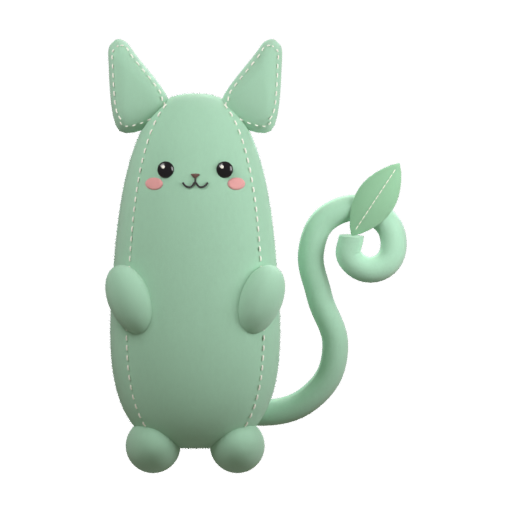
Rotate Pousse, check micro-steps, and run the visual Time-Timer.
14 Autism-Realistic Cards
Tap Speak in the bottom bar to hear cards spoken aloud.
1-Tap No Color & Sounds
Test grayscale sensory mode and Brown/Rain/Ocean loops live.
Separate Parent Space
Hold the top-right lock for 1.5s to explore Journal, Plush AI & Settings.
Exclusive to Plush
Snap a photo of any paper timetable. Plush AI builds the whole week.
Stop spending Sunday nights typing 35 school and therapy slots by hand. Send a folded paper schedule, a school PDF, or an Excel sheet. Plush AI extracts every day and time, shows you a clear summary, and updates the week only after you approve.
Camera & PhotosPDF timetablesExcel & CSVParent approval first
1
Upload a photo, PDF, or Excel sheet
Works even with handwritten or folded school schedules
2
Plush AI extracts days, times & steps
Summarizes every activity in plain language
3
Tap Approve to sync across devices
Instant First & Then visual cards ready for your child
Everything a calm day needs, in one gentle place.
Engineered to lower sensory load for children and save mental energy for parents.
Visual Routines & Time-Timer
Predictable transitions without power struggles, paced to your child’s rhythm.
Clear First & Then home card with real family photos
Clear answers for parents, caregivers, and therapists.
Do I need a credit card for the 7-day free trial?
No. Creating a free parent account automatically unlocks 7 full days of Plush Plus without entering any payment information. After 7 days, you keep all your routines and can stay on Free or upgrade anytime.
How does the paper, PDF, or Excel timetable scanner work?
Open Plush AI inside Parent Space, tap the + button, and attach a photo of a paper schedule, a school PDF, or an Excel spreadsheet. Plush AI extracts each day and time, summarizes what it found, and waits for your approval before updating the week.
How is Child Mode separated from Parent Space?
Child Mode only shows three calm tabs (Home, Schedule, Speak) with zero settings or AI buttons. Parents enter Parent Space through a discreet top-right lock icon using a 1.5-second hold or an optional 4-digit PIN.
Is Plush a medical or clinical device?
No. Plush is an everyday family routine, visual schedule, and AAC communication companion designed to make home and school transitions gentler. It does not provide medical diagnosis or clinical therapy.
Can I cancel my subscription or request a refund?
Yes. Monthly subscriptions can be canceled in one click from your Polar customer portal, and all Plush Plus purchases include a 30-day money-back guarantee.